
Home » Download

DARAZPLAY App Download for Android and iOS: Fast, Safe, Up to Date
Start your DARAZPLAY app download with clear steps for Android APK and iOS
Get the DARAZPLAY app download in minutes. The app is built for mobile users who want quick access, lighter data use, and simple sign-in. Android users can install the DARAZPLAY apk directly. iPhone users can add the web app to Home Screen for fast, app-like access with push-style reminders.
The app supports straightforward account verification and clear support replies, so your details and actions stay consistent and easy to manage. For the official link and ongoing updates from the DARAZPLAY official site, go to DARAZPLAY Main Site.
Why the DARAZPLAY mobile app is worth installing for local mobile users
The app trims loading times and keeps the interface focused on what you need most. It’s designed for one-hand use, low data consumption, and quick actions from login to placing a selection.
Light data usage and faster loads on everyday mobile networks
Pages open quickly, images are optimized, and you can keep browsing even on slower connections. Less buffering means more time checking markets and results.
Biometric login and quick, verified account actions
Secure access with PIN, fingerprint, or face recognition helps you log in fast. Profile checks and name-matching prompts are built in to keep your account consistent and approvals smooth.
Cricket-first experience with live scores, markets, and useful updates
Cricket gets pride of place with live odds views, score widgets, and quick filters for top events. Pre-match and in-play markets are easy to scan with clear pricing changes.
JILI games and arcade picks open fast without heavy pages
Enjoy JILI titles and other popular picks with clean navigation and quick-loading lobbies. You can jump between categories without endless scrolling.
In-app support that responds and keeps your queries organized
Start a chat from the help center and get notified when there’s a reply. Your conversation history is saved, so you can follow up without repeating details.
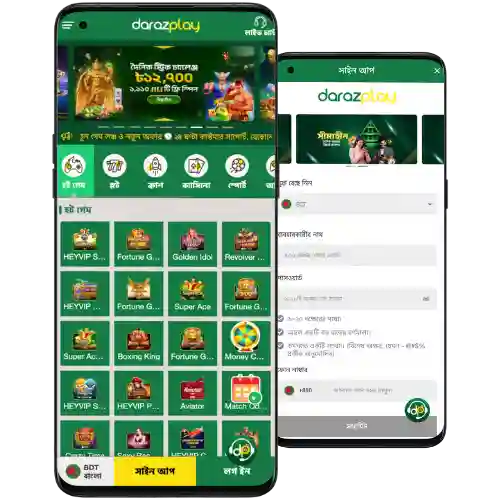
Step-by-step guide to download, install, and update the DARAZPLAY mobile app
- Open your mobile browser and visit the official DARAZPLAY download page from a trusted link.
- Choose your device path: tap Download for Android or Open Web App for iOS.
- For Android, confirm the DARAZPLAY apk download when your browser prompts you.
- When the APK finishes, tap Open. If prompted, allow your browser to install apps from this source once, then proceed.
- For iOS, tap the Share icon in Safari and select Add to Home Screen to create the web app shortcut.
- Open the app icon, complete DARAZPLAY login, or create your account, and verify your mobile number as requested.
- Allow notifications to receive match alerts, offers, and important service messages.
- To update later, accept the in-app prompt on Android for the new APK. On iOS, refresh the web app and keep Add to Home Screen active.
Mobile features that make daily play faster, lighter, and easier to control
Quick login with PIN or biometrics
Enter with a short PIN or your fingerprint/face. It’s fast, familiar, and reduces repeated password typing on a small screen.
Cricket hubs with live scores and timely pricing refresh
Follow top matches, track score changes, and review markets in one place. Cricket fans can move from pre-match to in-play in seconds.
Smart notifications that respect your time
Get alerts for match kick-offs, price moves, results, and key account notices. You control which notifications you receive.
Cleaner navigation built for one-hand use
Bottom tabs, larger tap targets, and focused menus keep you moving quickly. Find recent leagues, popular games, and your favorites fast.
Instant access to casino, live content, and JILI titles
Switch between match pages, live tables, and JILI games without heavy page reloads. Recent items help you jump back in immediately.
Low data mode and image controls
Toggle lighter visuals to save data. Pages still look clear, and essential info stays front and center.
Exclusive in-app offers, alerts, and campaign reminders for regular app users
Open the app to see time-limited boosts, early market notices, and periodic DARAZPLAY bonus updates. Keep notifications on to avoid missing odds boosts around major cricket series or popular game launches.
Campaign details and terms are easy to read inside the app. For current deals and codes, check DARAZPLAY Promotions after you sign in.
Safe installation habits and official sources to keep your device protected
Use the official link every time
Install only from the DARAZPLAY official site or in-app update prompts. Avoid third-party APK mirrors that may modify files.
Review permissions before you agree
Grant only what the app needs. You can manage notifications, storage, and other permissions later in your phone settings.
Keep your device and browser updated
Latest OS and browser versions help prevent install blocks and improve performance. Restart your phone after major updates.
Check the APK details when possible
Note the file name and size shown on the download page. If something looks different on a future download, recheck the source.
Contact support if anything feels off
Use in-app chat or the help email to confirm an update link. Quick support responses help you install with confidence.
Frequently asked questions about the DARAZPLAY app download and safe installation
Is the DARAZPLAY app free to download and use?
Yes. Downloading and installing the app is free. Standard data charges from your mobile provider may apply while browsing or updating.
Is there an iOS version on the App Store?
Availability can change. If it’s not listed, open Safari, sign in, and choose Add to Home Screen. This creates a fast web app icon with app-like access.
How do I update the DARAZPLAY apk on Android?
Open the app and accept the update prompt when available. If prompted by your browser, confirm the new APK and install over the existing version.
My phone or Chrome blocked the APK. What should I do?
Confirm you used the official link, then allow your browser to install apps from this source once. Install, then return the setting to its previous state.
How do I sign in or create a new account on mobile?
Open the app and tap Log In to complete your DARAZPLAY login. New users can create an account from the same screen at DARAZPLAY Register, then verify their details for smoother support and transactions.
Ready to install? Get the latest DARAZPLAY mobile app and start now
Install in minutes and keep match updates, JILI games, and support all in one place. For Android, download DARAZPLAY app using the official APK. For iPhone, add the web app to your Home Screen for quick daily access.
Stay updated with live cricket views, targeted alerts, and straightforward account actions built for mobile. Start today and keep your play organized, faster, and easier to manage wherever you are.